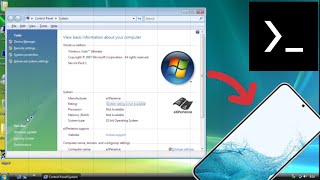
Emulate Windows XP SP3 on Android phone with Limbo PC Emulator
For Limbo PC Emulator
Learn moreTermux
You need to extract the file to the Download folder on your phone to use it. And you need at least 6GB of free storage space. For first time: apt update && apt upgrade -y && pkg install qemu-system-ppc -y && qemu-system-ppc -L openbios-ppc -M mac99,via=pmu -cpu G4 -smp 1 -m 512M -drive file=/sdcard/Download/a.qcow2,aio=threads,cache=unsafe -device intel-hda -device hda-duplex -device e1000,netdev=n0 -netdev user,id=n0 -accel tcg,thread=multi,tb-size=1024 -boot d -prom-env 'auto-boot?=true' -prom-env 'vga-ndrv?=true' -g 1024x768x32 -vnc :2 For next time: qemu-system-ppc -L openbios-ppc -M mac99,via=pmu -cpu G4 -smp 1 -m 512M -drive file=/sdcard/Download/a.qcow2,aio=threads,cache=unsafe -device intel-hda -device hda-duplex -device e1000,netdev=n0 -netdev user,id=n0 -accel tcg,thread=multi,tb-size=1024 -boot d -prom-env 'auto-boot?=true' -prom-env 'vga-ndrv?=true' -g 1024x768x32 -vnc :2
.jpg?alt=media&token=7e014ec8-44a8-453e-ad5b-33be217ce872)
.webp?alt=media&token=6eb79270-2cbf-46a5-bb41-284989b2b7af)