


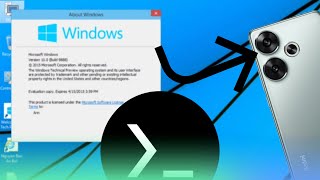
Emulate Windows 10 build 9888 on Android phones with Termux
9 GB
Learn moreRequires 16GB of available storage
Not for low configuration devices. You need 16GB of available storage and 2GB of available memory. After downloading, unzip it into the Download folder on your phone. You need to install qemu-system-aarch64 before emulating. Install qemu-system-aarch64: termux-setup-storage && apt update && apt upgrade -y && pkg install qemu-system-aarch64 -y Run this command to start the emulator: qemu-system-aarch64 -M virt -cpu cortex-a57 -smp sockets=1,cores=4,threads=1 -m 2048M -bios /sdcard/Download/RELEASEAARCH64_QEMU_EFI.fd -device nec-usb-xhci -device usb-kbd -device usb-mouse -drive if=virtio,cache=unsafe,aio=threads,file=/sdcard/Download/a.vhd -device intel-hda -device hda-duplex -device virtio-net-pci,netdev=n0 -netdev user,id=n0 -device virtio-balloon-pci -device virtio-serial-pci -device virtio-rng-pci -device virtio-gpu-pci -vga none -accel tcg,thread=multi,tb-size=1024 -vnc :2 Windows 10 is a major release of Microsoft's Windows NT operating system. It is the direct successor to Windows 8.1, which was released nearly two years earlier. It was released to manufacturing on July 15, 2015, and later to retail on July 29, 2015.
For Vectras VM
Learn more