


Emulate Windows ME with full driver on Android phones with Vectras VM
Lightweight and only 500MB
Learn moreOnly 3 GB
Your phone needs at least 8GB of free storage and 1GB of memory. Follow the instructions as shown in the video and unzip the file before use. Paste the command below into QEMU PARAMS: -cpu core2duo -smp sockets=1,cores=4,threads=1 -m 756M -device intel-hda -device hda-duplex -accel tcg,thread=multi -drive file=/storage/emulated/0/Android/data/com.vectras.vm/files/data/Vectras/W8.1.qcow2,aio=threads,cache=unsafe -device e1000,netdev=n0 -netdev user,id=n0 -vga std -boot menu=on Windows 8.1 is a release of the Windows NT operating system developed by Microsoft. It was released to manufacturing on August 27, 2013, and broadly released for retail sale on October 17, 2013, about a year after the retail release of its predecessor, and succeeded by Windows 10 on July 29, 2015. Windows 8.1 was made available for download via MSDN and Technet and available as a free upgrade for retail copies of Windows 8 and Windows RT users via the Windows Store. A server version, Windows Server 2012 R2, was released on October 18, 2013.
Lightweight and only 500MB
Learn more.jpg?alt=media&token=d1dfcf93-7a3e-4d6e-8054-2f9fb0eac69e)
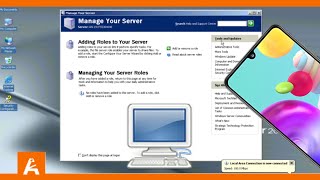
For Limbo PC Emulator
Learn more